
Turn Any Document Into Trusted Data.
Turn PDFs, images, email bodies, and attachments into structured data with AI. Choose a document type or use Autopilot, split mixed files at no additional cost, and verify results with your team. Export to Excel, Google Sheets, CSV, or JSON, or connect your workflow through API and webhooks. Start with 50 free pages.
- Email body and attachment parsing
- Connect your workflow with webhooks
- Over 99% accuracy out of the box
- Extract data you need from any document
- Secure workflow with validations and human-in-the-loop
- Team collaboration
- Autopilot extraction for unknown document types
- Team folders, upload-batch filters, and searchable extracted values
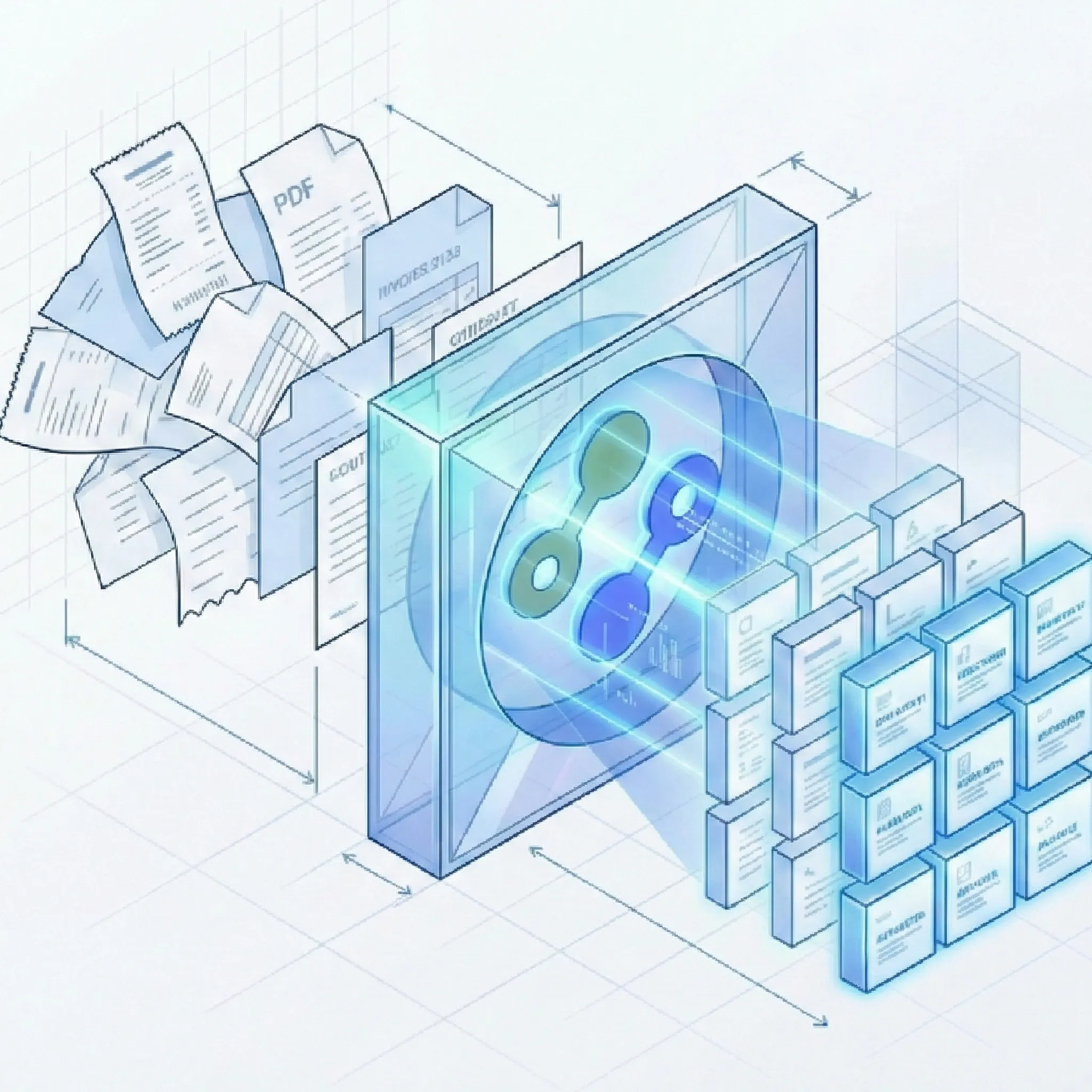
An Easy and Powerful Way to Automate Document Processing.
How It Works
Fast and simple out of the box with powerful customization options when you need them.
Email Parsing: Turn Email Bodies and Attachments Into Structured Data
Keep documents moving from your inbox to your workflow. Forward an email to Suparse and extract the data your team needs without downloading attachments or uploading files manually.
Parse Email Bodies & Attachments
- Choose what to process: Extract data from the email body, attached documents, or both. Capture information from the message alongside invoices, receipts, orders, and other attachments.
- Dedicated email addresses: Create an address in Quick Upload for a specific document type or Autopilot. Give suppliers, clients, or colleagues a direct way to submit documents for extraction. Learn more in our AI email parser.
Route Emails With Autopilot
- Match your document types: Email Autopilot can use only your workspace document types or include shared system types. Unmatched documents go to review, so you stay in control without new document types being created automatically.
- Split attachments at no additional cost: Configure attachment splitting and automatic approval where supported. Standard extraction page charges apply, with no extra fee for splitting.
Keep Your Email Workflow Organized
- Check processing status: See the latest email's processing status to confirm that incoming documents are moving through your workflow.
- Manage addresses as your needs change: Rename, regenerate, or disable dedicated addresses to keep intake aligned with your team and document types.
Everything You Need to Automate Document Workflows
From raw upload to validated JSON/Excel/Google Sheets, Suparse handles the entire lifecycle of your document extraction.
Advanced AI Extraction
- Library of Pre-Trained Models: Instant, zero-setup extraction for common financial and logistics documents (Invoices, Receipts, Bank Statements, Bills of Lading, Air Waybills, and more). Want to add custom field? Just use our editor.
- AI-Assisted Custom Schemas: Want to process a specific document type? Just upload a sample. Our AI analyzes the document structure and automatically generates a robust extraction schema. You can modify it as needed and then reuse it.
- Hybrid Customization: Take a pre-trained model (e.g., Invoice) and add custom fields specific to your business rules without breaking the core extraction logic.
- Table & Line Items: AI algorithms read complex tables line-by-line, also across pages.
- Multilingual & Handwriting: Support for 100+ languages (Chinese, Arabic, Cyrillic) and handwriting. Learn why broad language coverage matters for reliable extraction.
- Human in the loop: You can control and verify every step in the process - go on autopilot or use dedicated screens to review the results.
- Autopilot extraction: When you do not know the document type, Autopilot detects and separates documents, chooses the best document type, and creates one when needed. For unknown or mixed-document intake, see Autopilot document extraction.
Validation & Control
- Automated Quality Control: Configure validation rules (e.g., 'Total must equal Sum of Lines') to flag errors automatically.
- Human-in-the-Loop Workflow: A dedicated review interface allows your team to verify and correct data before it enters your ERP.
- Human-in-the-Loop (HITL) Verification: Our intuitive review interface lets you verify low-confidence fields side-by-side with the original document before the data ever leaves the platform.
Integration & Export
- Send extraction results by webhook: Connect Suparse to your ERP, CRM, internal application, or automation workflow. Receive extracted data when processing completes and subscribe by document template and upload source to route results where they belong. Learn how to send completion and failure events with extraction results through document webhooks.
- Test your connected workflow: Team admins configure webhook destinations and send test events before connecting a live workflow. Check delivery history to confirm that extraction results reach your systems.
- Unified Excel Export: per document type. Export 100s of different PDFs into a single, unified Excel or CSV file.
- Google Sheets Integration: Connect directly to Google Sheets and export your extraction results automatically. Process documents in bulk and send structured data to your shared spreadsheets with one click. Compare this workflow with other options in our guide to the best scan-to-Google Sheets converters. For destination setup and controls for choosing which results to send, see automatic Google Sheets export.
- XLSX (one tab): Choose a single-worksheet Excel export that puts general fields and table data together for easier analysis.
- Background exports: For large document sets, track export progress in the Exports page, download the result when ready, retry failures, or recreate an export from current filters.
- Developer-First API: Detailed documentation and JSON output make integration into your app seamless. Follow the complete document extraction API developer guide for the upload, polling, and result-retrieval workflow.
- ERP Synchronization: Seamless integration with existing tools via API.
Security and privacy of your data
Your data belongs to you.
One Platform, Infinite Document Workflows
From standard financial forms to complex industry-specific documents, Suparse automates data extraction across your entire organization. Our platform includes specialized features like the Fast Bank Statement Converter, Financial Document Extraction, High-Accuracy Data Extraction, and Multi-Language OCR. Popular industry solutions include Accounts Payable Automation, Bookkeeping Automation, and Compliance & Audit Teams.
Recognized by leading platforms


Frequently Asked Questions
Can Suparse parse email bodies and attachments?
Yes. Create a dedicated email address from Quick Upload for Autopilot or a specific document type, then forward emails to it. Choose attachments, the email body, or both. Configure attachment splitting and automatic approval where supported. Email Autopilot matches workspace types, optionally including shared system types, and sends unmatched documents to review without creating new types automatically.
Can I send extraction results to my system using webhooks?
Yes. Team admins can configure webhooks to send extracted results to an HTTPS endpoint for your application or workflow when processing completes. Subscribe by document template and upload source so each system receives the results it needs. Completion events include extracted data, with an API link for large results. You can send a test event and inspect deliveries before connecting your production workflow.
Does document splitting cost extra?
No. Document splitting has no additional cost. Process PDFs containing multiple documents or enable splitting for supported email attachments without an extra splitting fee. Standard extraction page charges still apply.
What types of documents can Suparse process?
Suparse supports a wide range of standard business documents using pre-trained models, including Invoices, Receipts, Bank Statements, Purchase Orders, Bills of Lading, Air Waybills, and Tax Forms. For any unique or industry-specific document not listed, our AI-Assisted Schema Generator allows you to upload a sample and create a custom extraction parser in seconds.
Do I need to create templates for every vendor or layout?
No. For standard documents, our AI is template-free-it automatically understands different layouts, identifying fields like 'Total' or 'Invoice Number' regardless of where they appear. For custom document types, you only need to define your schema once, and the AI adapts to variations automatically.
How does Suparse handle PDF files containing multiple documents?
Suparse offers automatic document splitting and Autopilot extraction. If you upload a single PDF containing 50 invoices, our AI detects the boundaries between them, splits the file into individual documents, chooses the right document type or creates one when needed, and processes each document separately in parallel. You can verify the proposed results before export.
Can I extract data from complex tables and line items?
Yes. Our AI OCR engine is specifically designed for table detection. It accurately extracts line-item details (descriptions, quantities, unit prices, SKU codes) from complex, multi-page tables found in invoices, bank statements, and rent rolls, preserving row/column structure in final export.
What export formats are available?
Export as Excel (.xlsx), XLSX (one tab), Google Sheets, CSV, or JSON. QuickBooks exports are .QBO for supported bank statements and .IIF for supported invoices and receipts. For Xero, export a CSV and map its columns in Xero before importing. Unified export combines selected documents or filtered results in one spreadsheet.
How accurate is the data, and can I verify it?
Suparse uses advanced AI models for high-accuracy extraction, even on handwritten or low-quality scans. For quality assurance, we offer a human-in-the-loop (HITL) interface where you can review extracted data alongside original document and make corrections before export.
Is my data secure? Do you train models on my documents?
Security is our priority. We use end-to-end encryption for data in transit and at rest. Most importantly, we never use your customer data to train our AI models. You can delete documents from our system at any time.
Can I try it for free?
Yes. You can sign up and process your first 50 pages completely free. No credit card is required to start the trial, giving you full access to test our pre-trained models and full system functionality on your own documents.
What key features and solutions does Suparse offer?
Our platform includes specialized features like fast bank statement conversion, financial document extraction, high-accuracy data extraction with validation rules, multi-language OCR support for over 100 languages, and Google Sheets integration for seamless spreadsheet exports. Popular industry solutions include accounts payable automation, bookkeeping automation, and compliance & audit team workflows.
How can I convert receipts to Google Sheets?
With Suparse you can easily connect to Google Sheets, process the document types you need and export them all at once using Suparse Google Sheets integration. Simply upload your receipts, let AI extract the data, verify if needed, and send structured results directly to your Google Sheets with one click.
Can I export data directly to Google Sheets?
Yes, Suparse offers seamless Google Sheets integration. You can connect your Google account, select processed documents, and export structured data directly to your Google Sheets in real-time. This is perfect for teams collaborating in spreadsheets or for automating workflows that depend on live data updates in Google Workspace.
What is Autopilot extraction?
Autopilot is the fastest way to process files when you do not know their document type. It detects and separates documents in mixed files, selects a suitable document type or creates a new one, extracts the data, and saves new document types to your workspace for future uploads. You can also restrict Autopilot to document types already in your workspace.
Can I organize and search processed documents?
Yes. Create, rename, and delete team folders, choose a folder during upload, move selected documents or all documents matching your filters, and filter the Documents list by folder. You can also search all extracted data, including text and numbers, with optional case-sensitive matching and wildcards. Deleting a folder keeps its documents and leaves them unfiled.
Which file formats can I upload?
Suparse supports PDF, JPEG, PNG, HEIC, HEIF, TIFF, and WEBP files. Password-protected PDFs can prompt you for their password during upload.
Start Automating Your Document Workflow Today
Get 50 pages free. No credit card required. Full access to all features.
Create Free Account